🔄 Set up automatic AI Agent updates for every website change
You just added a shipping delay banner, tweaked your return policy for BFCM, or launched a new launch, but you can’t resync your store in AI Agent configuration.
You don't have to wait on the 30-day cadence. Set up one recurring task in Claude Cowork (or any other AI tool of your choice) and have it check your site every morning and draft updates to AI Agent knowledge and skills.
This is a useful workaround for anything you have in content pages — policies, banners, FAQs. Your product details and pricing are pulled directly from your Shopify product catalogue, which is automatically synced.
How to turn your website updates into AI Agent updates?
First, if you haven’t already, connect Gorgias MCP to your AI tool.
Next, create a scheduled task in the AI tool of your choice. We will use Claude Cowork as an example, but you can do the same with Chat GPT or Cursor.
In Claude Cowork, start a new task and type /schedule, then describe what you want checked, how often, and what to do with what it finds — all in one message:
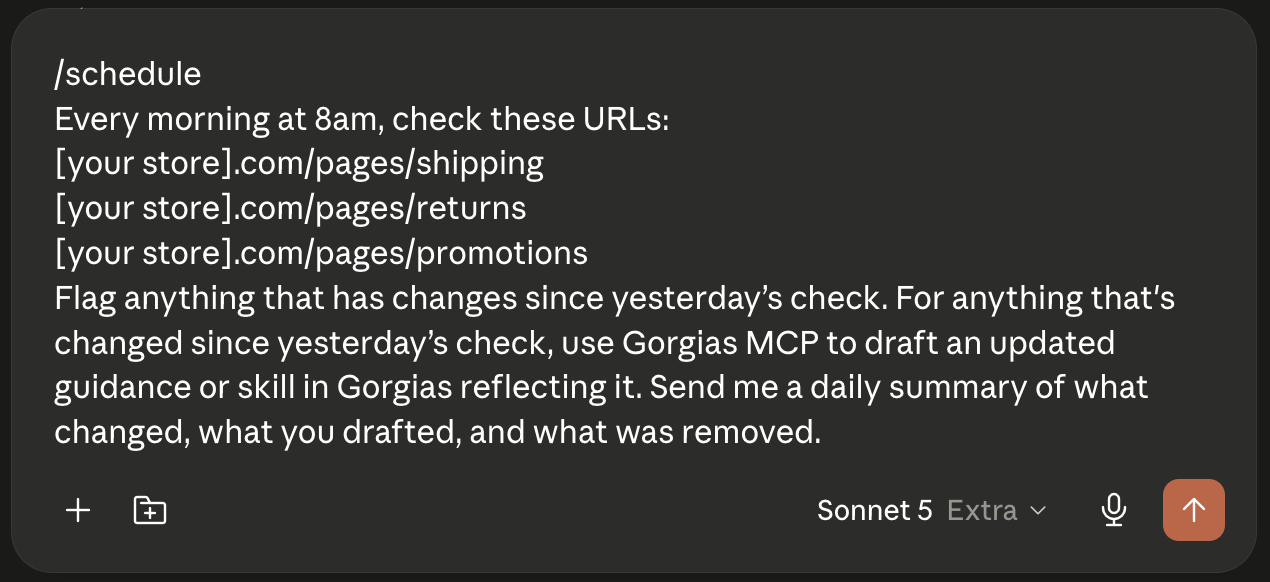
Claude will confirm the name, schedule, and what the task does before it starts running. Once it's live, it lives under Scheduled in the left sidebar — that's where you go to check on it, edit the time or wording, or turn it off. No need to re-prompt each morning; it just runs.
It’s best to specify webpages that are most likely to change because scanning the whole website would take a lot of time, tokens, and would be more susceptible to missed updates.
By default, Cowork won’t auto-publish the changes to AI Agent configuration, so you can review and approve it. It can also be set to make updates automatically, but this is not something that we would recommend.
No budget for external AI tool?
Updates can also be managed by Gaia, that is currently included in your Gorgias plan, at no additional cost. The only difference is that you can’t schedule this as a task, so you would have to manually prompt it to review the URLs that have been changed and make AI Agent configuration updates based on that.
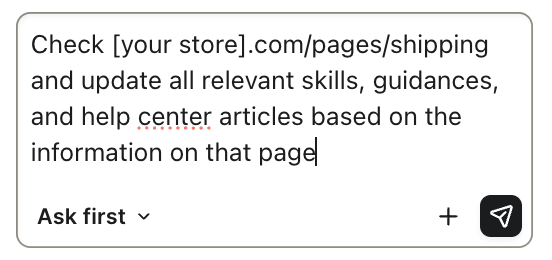
How do you handle AI Agent configuration updates?