🧐 Why your Chat widget isn't showing (and how to fix it)?
You followed all the instructions on how to configure Chat on your Gorgias platform, and how to quick-install it on your website, but it’s still not appearing? 🤔
Here are a few troubleshooting steps to try out.
1. Make sure your Shopify app permission are up to date
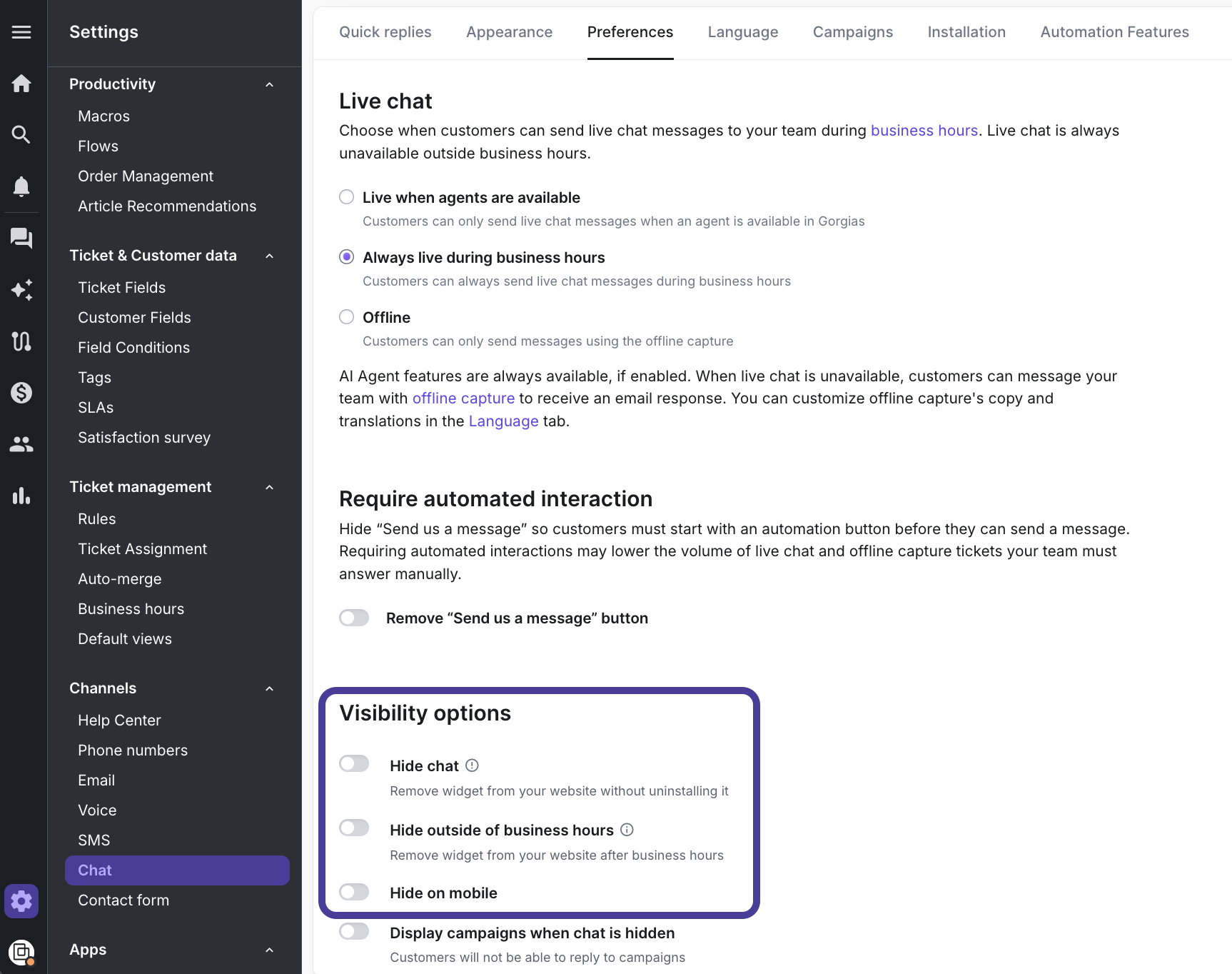
Make sure your Chat is not hidden.
Go to Settings → Channels → Chat → Preferences and check your Visibility options.
If you use Google Tag Manager, navigate to Settings → Channels → Chat → Installation tab. When there, open the Manual installation drop-down, click on Google Tag Manager tab and follow the instructions displayed.
If you’re not sure whether you use Google Tag Manager, go to your website, right-click to inspect the page and search for ‘googletagmanager’.
If your website uses strict content user policies, we also advise adding these domains to your allowlist.
These steps usually do the trick, whether you have Chat 2.0 or the older version of Chat!
However, if you’re still not seeing Chat widget on your website, don’t hesitate to reach out to our Support Team ⛑️